Africell Deposit Steps
👈 Swipe to navigate 👉
Step 1 of 3
1
Select Deposit

Select Deposit through our quicklinks or select the Deposit button found at the top right corner of the screen.
2
Select Africell
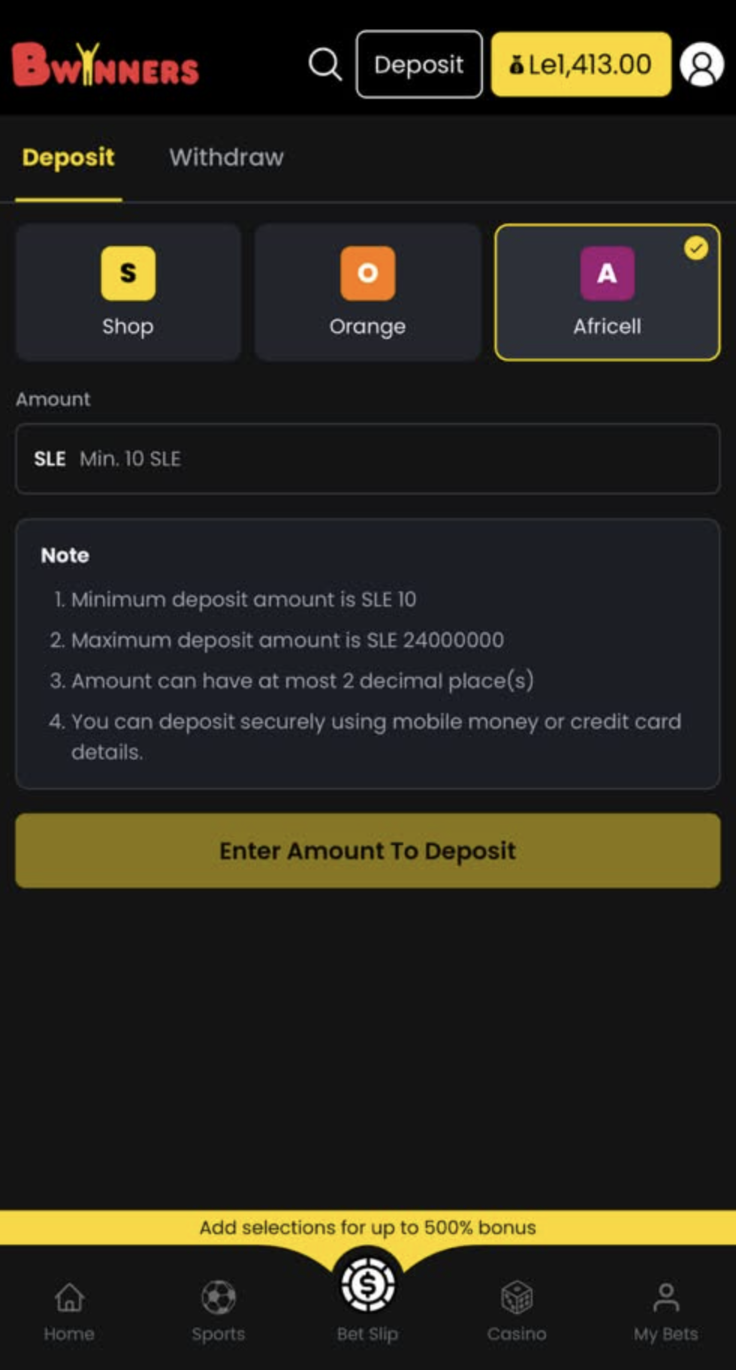
Select Africell to proceed.
3
Enter PIN
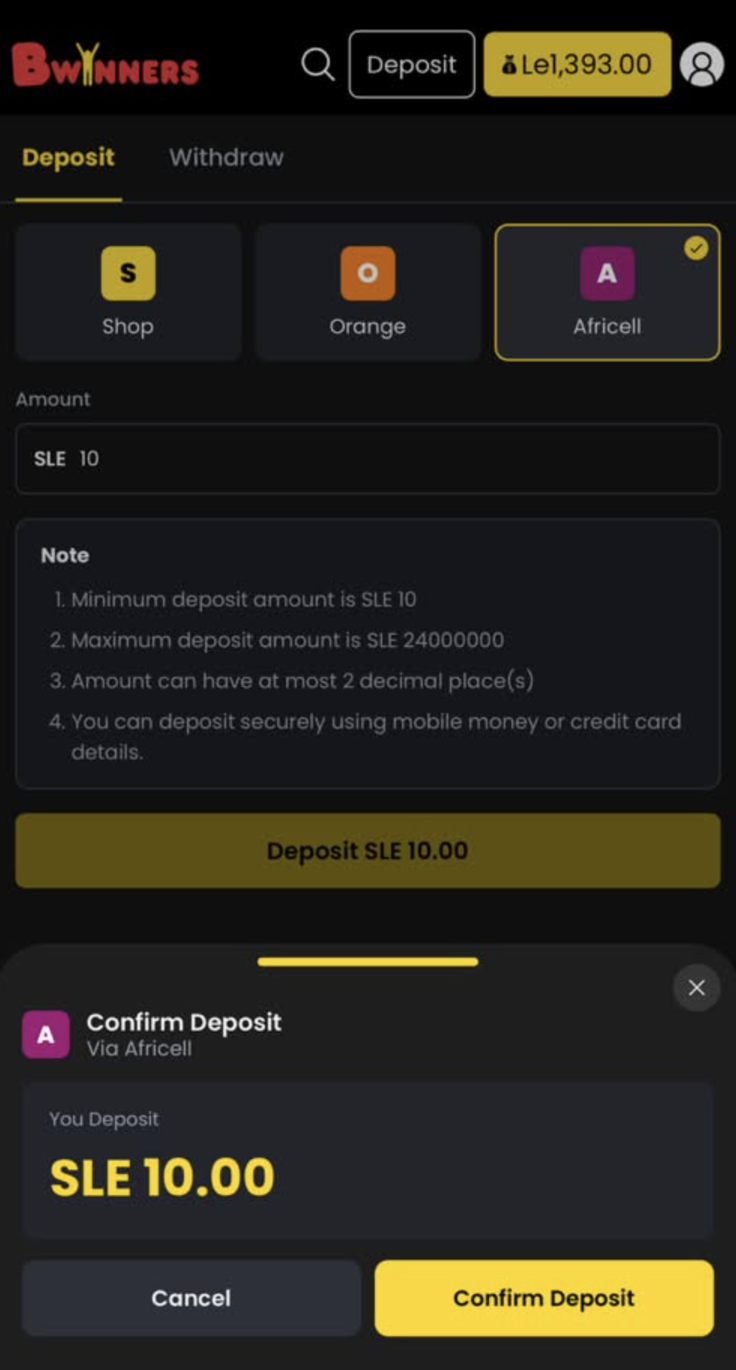
Once you select Africell, select the amount you wish to deposit. You can also enter the amount manually.
To complete the deposit transaction, simply enter the PIN associated with your Mobile Money account.
✓ Done! Your account is credited and you can start playing.
Orange Money Deposit Steps
👈 Swipe to navigate 👉
Step 1 of 4
1
Login & Deposit
Log in to your Bwinners account using your credentials. Click on the yellow "Deposit" button.
⚠️ The phone number linked to your Bwinners account must be the same as the one associated with your Orange Money account.
2
Choose Orange Money
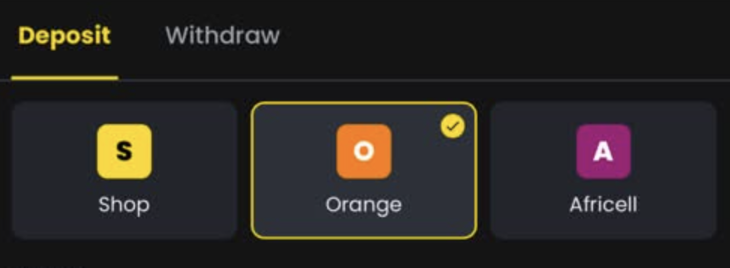
Choose Orange Money. Enter the amount you wish to deposit and click the "Deposit" button.
3
Dial #144#
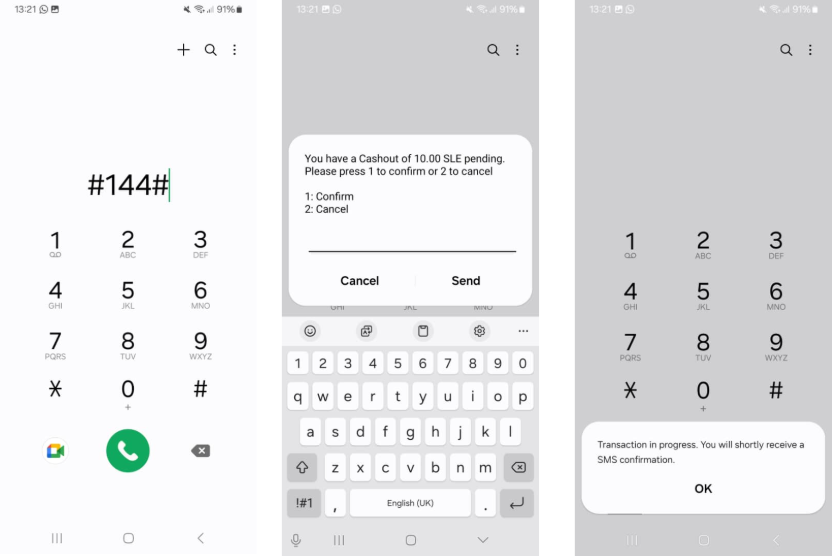
Take your phone and open the dialer. Dial #144# and press send. Follow the on-screen instructions: confirm the payment and enter your Orange Money PIN. You will receive a message confirming your deposit was successful.
4
Deposit Successful!

Congratulations! Check your balance — your deposit was successful.
✓ Done! Your account is credited and you can start playing.
Vouchers/Shop Cash Deposit Steps
👈 Swipe to navigate 👉
Step 1 of 4
1
Visit a Shop & Login
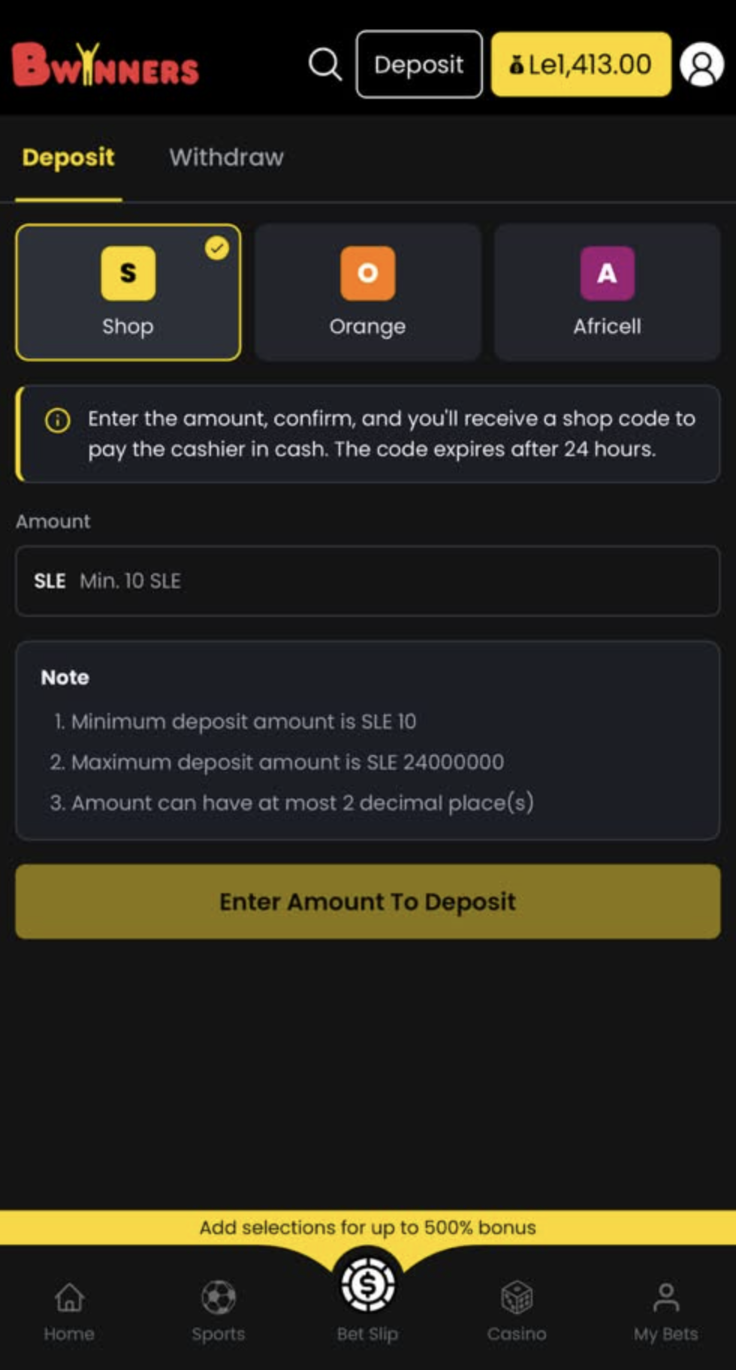
Head to our nearest Shop or POS and ask the cashier to deposit online using your account ID. Keep your receipt — this deposit code can be redeemed ONLY by your account. Log in to your account and click on "DEPOSIT" at the main menu.
2
Select Shop Cash
Select Shop Cash as your deposit method.
3
Enter Your Code
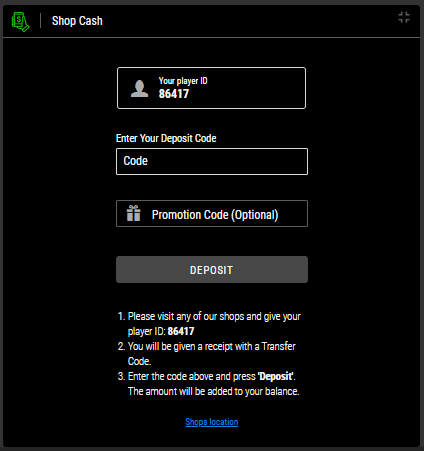
Enter your code found on your receipt then click on Deposit.
4
You're All Set!
You're all set! Have fun with Bwinners.
✓ Done! Your account is credited and you can start playing.